Squad Manager
Revolutionizing agile team management with a focus on simplicity and productivity
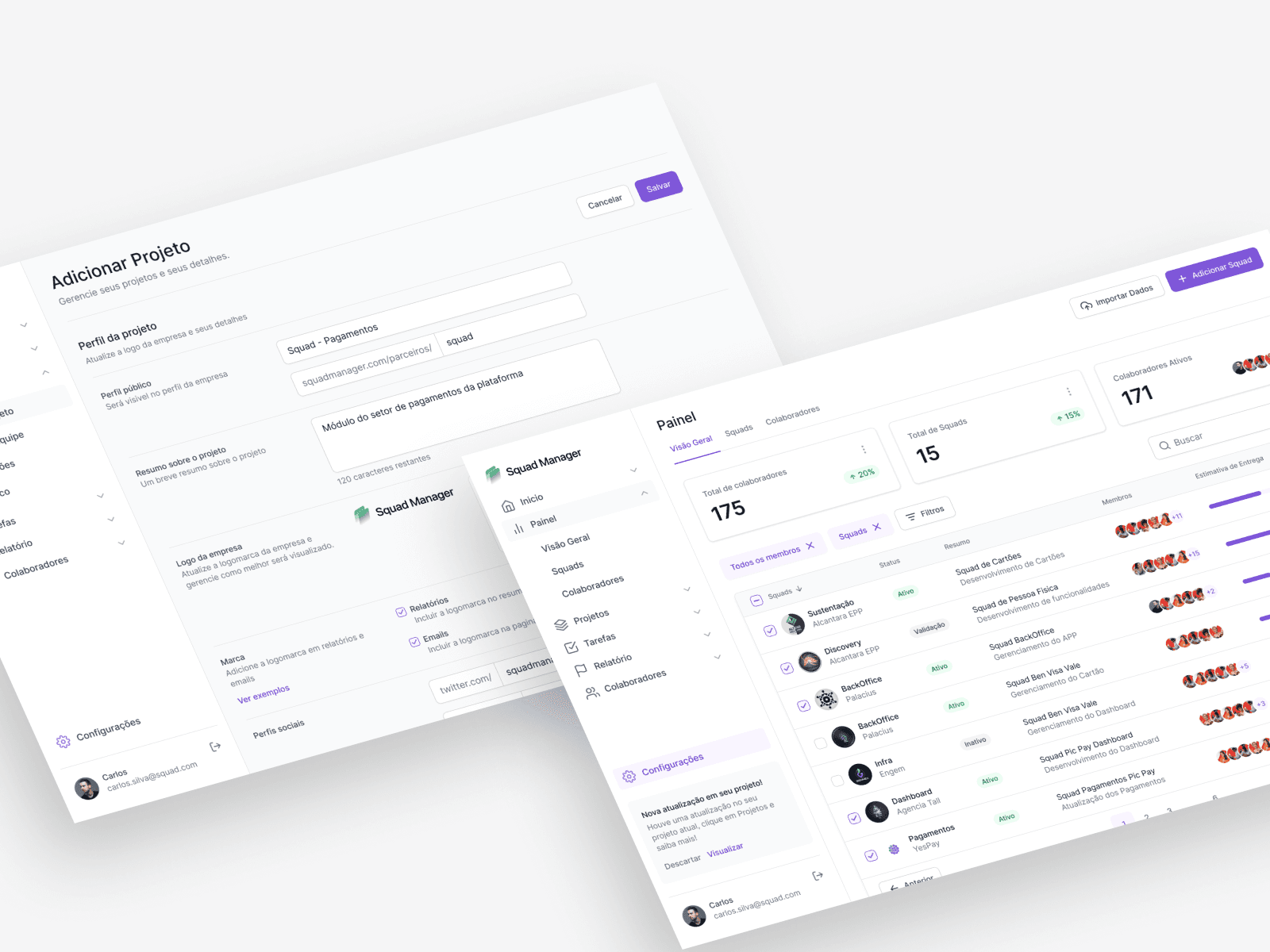
Overview
Role
Lead Product Designer
Timeline
20 weeks
Platform
Web App (SaaS)
Team
1 PM, 3 Frontend, 2 Backend
Background
Squad Manager began a redesign of its entire B2B application with the vision of becoming the next biggest agile management platform. The original platform was built rapidly during early startup stages and technical debt had translated directly into deep UX debt. The mandate was to build a comprehensive platform that solved the main problems that Tech Leads, Scrum Masters, and Product Owners face daily: excessive complexity, fragmented data, and a steep learning curve.
The Process
Understanding the problem
Before jumping into solutions, I conducted contextual inquiries with 38 tech leaders and shadowed daily standups to uncover the genuine pain points in their existing user journeys using Jira and Trello.
User goals and needs
- To quickly view team progress without diving into 10 different sub-menus.
- To have automated reports rather than manually compiling data across tools.
- To avoid onboarding friction when adding new developers to the tool.
Uncovering pain points
- 57%found onboarding wizard configurations arduous
- 29%struggled to identify missing field inputs
- 68%missed visual status hierarchy on cards
Gathering insights
I quantified the qualitative feedback to assess how these pain points impacted the user experience. By measuring Task Criticality against Impact, we could systematically target our design efforts.
Task Criticality vs Impact
Prioritisation of issues
Working closely with Product, we narrowed the scope down to what would create the highest value for our MVP:
Reducing the number of configuration steps by grouping related logic.
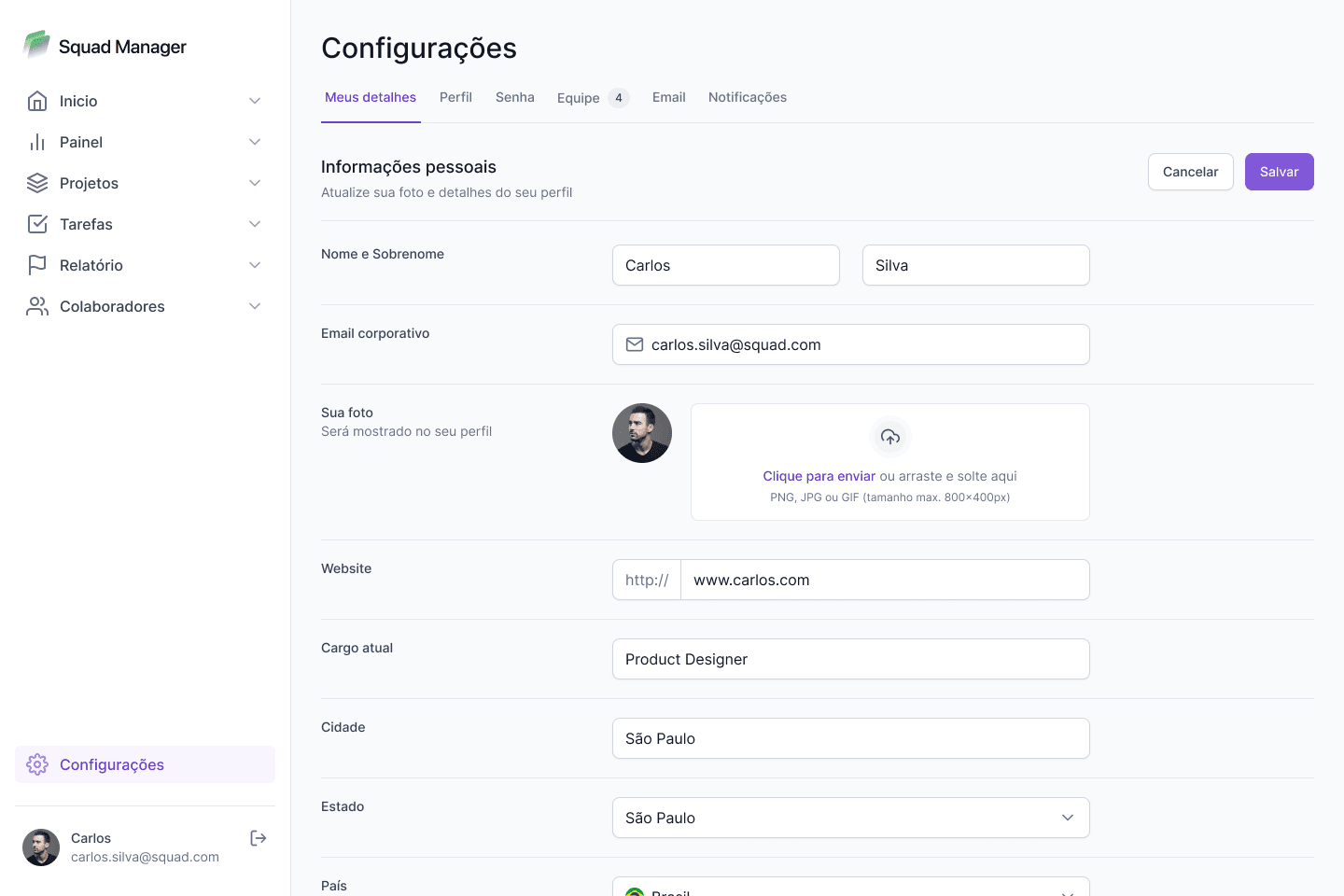
Establishing a clear visual form hierarchy to eliminate interaction errors.
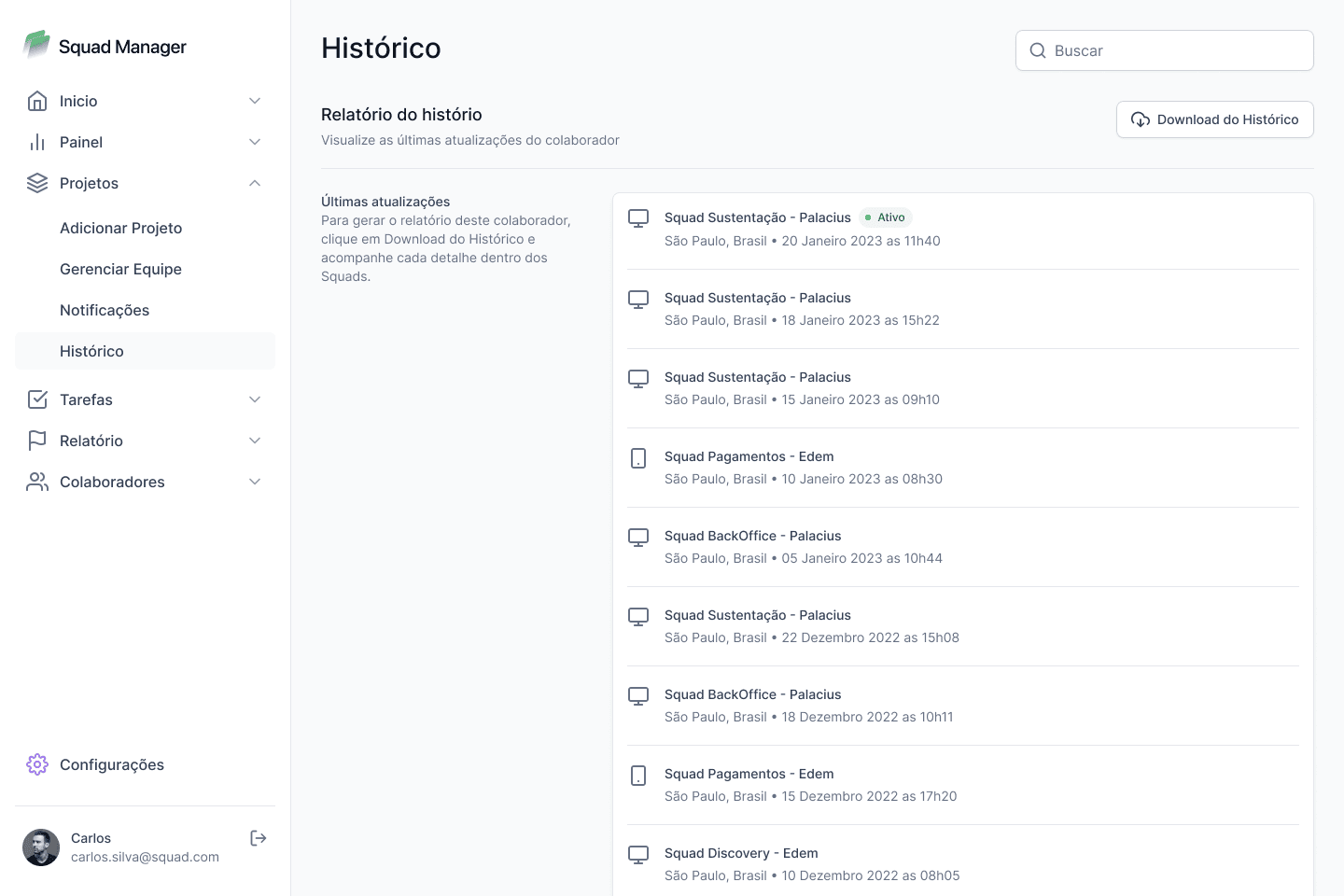
Creating a flexible Kanban board component with highly recognizable UI states.
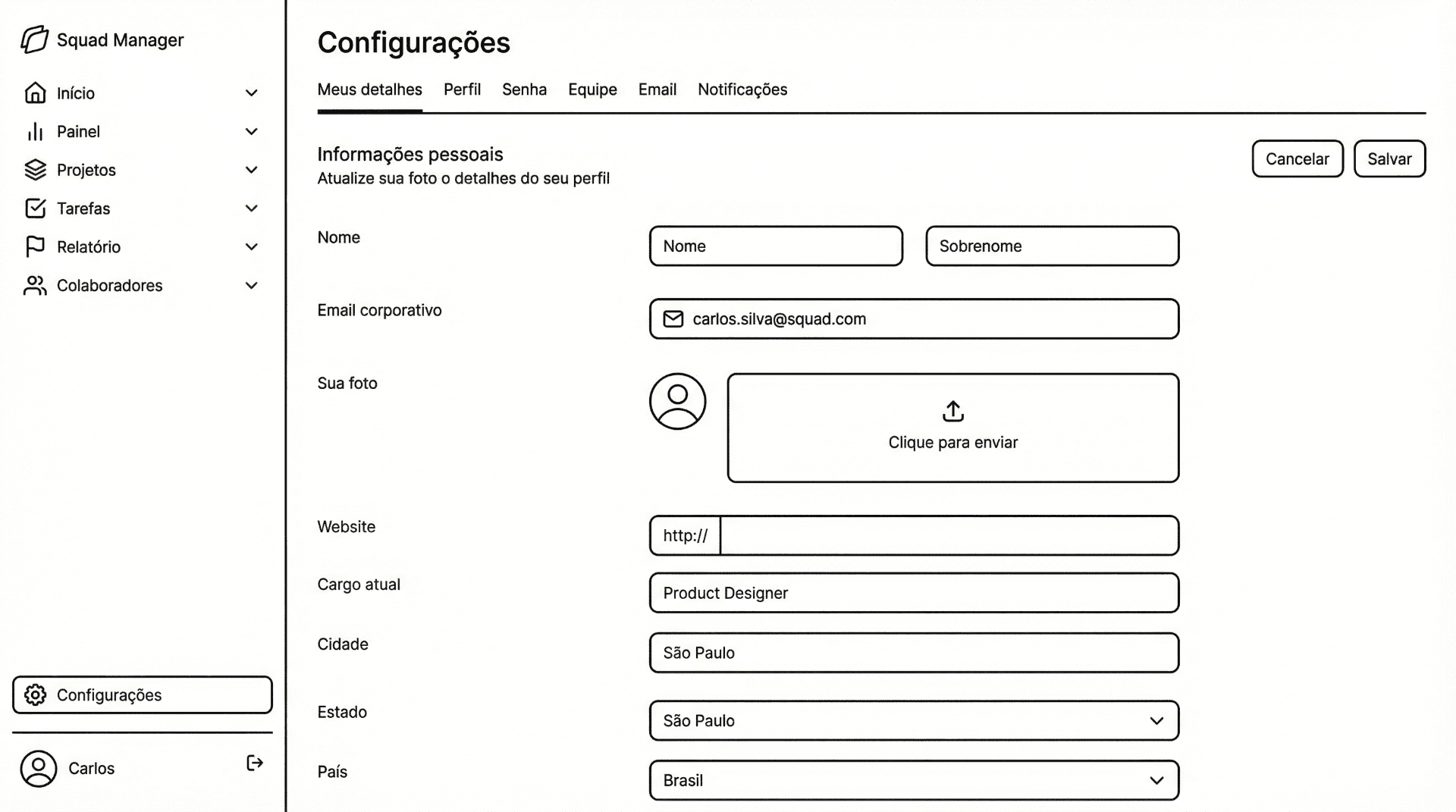
Wireframing the solution
Once we aligned on the core architecture and flows, I moved into designing low-fidelity concepts. This allowed rapid iteration and feedback loops on the layout structure before committing to UI details.
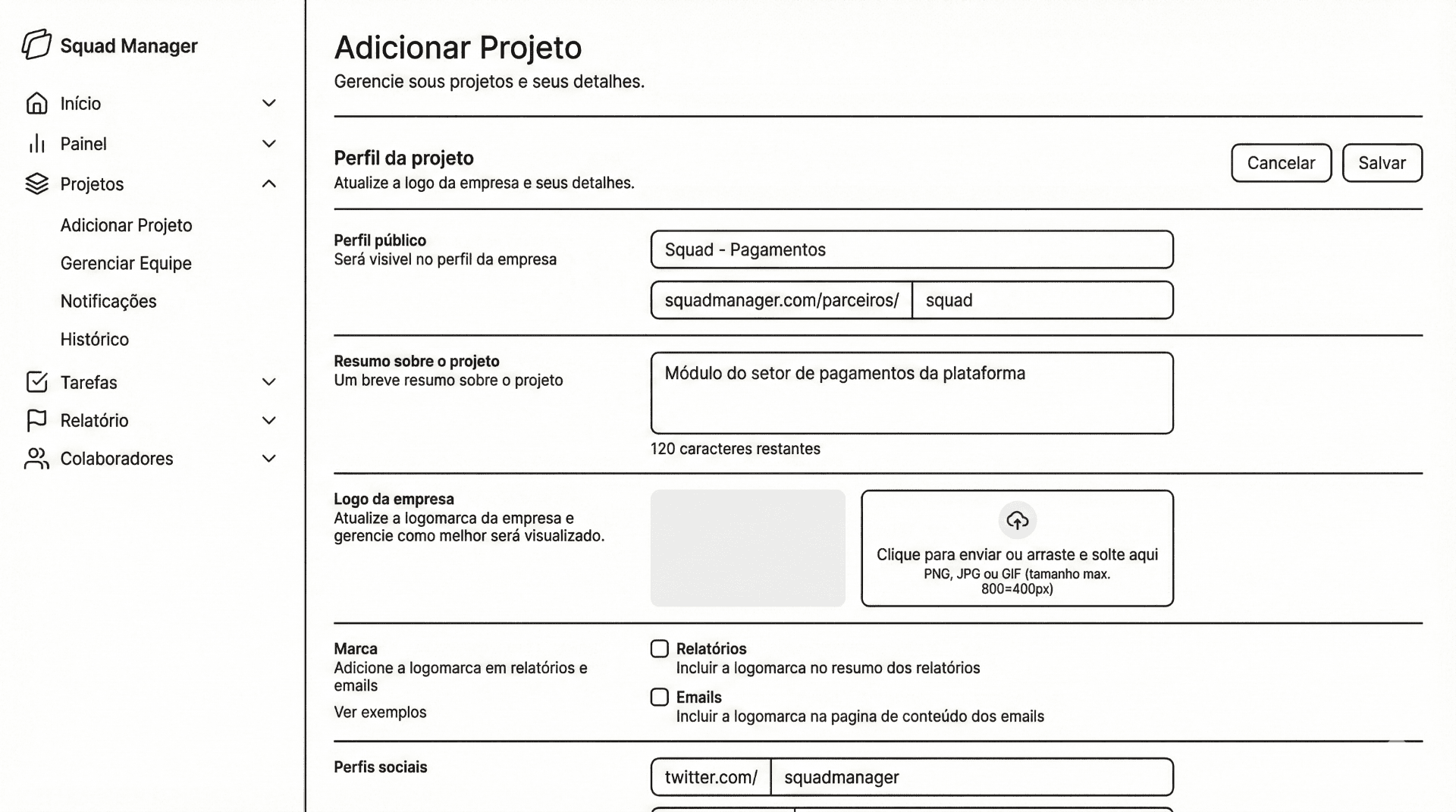
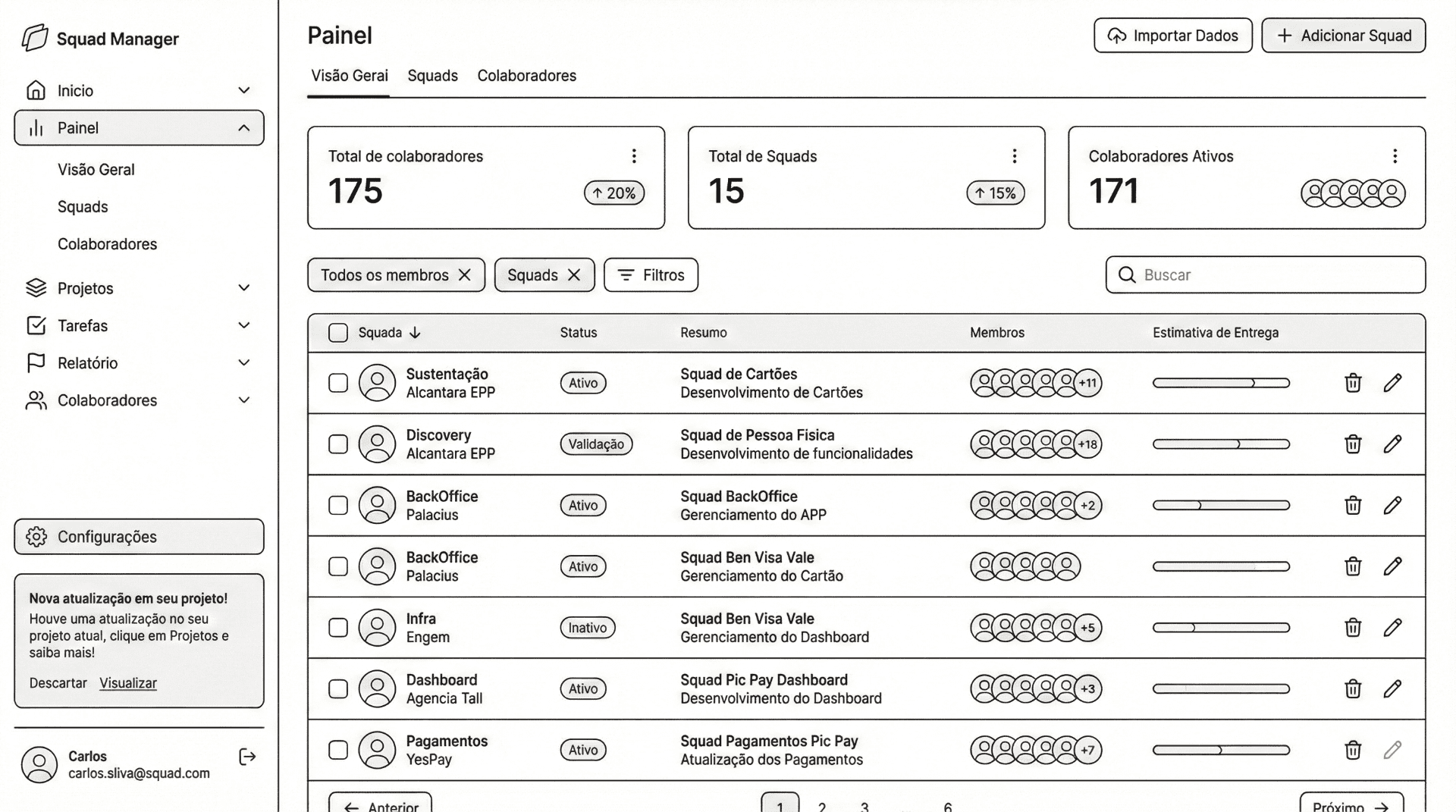
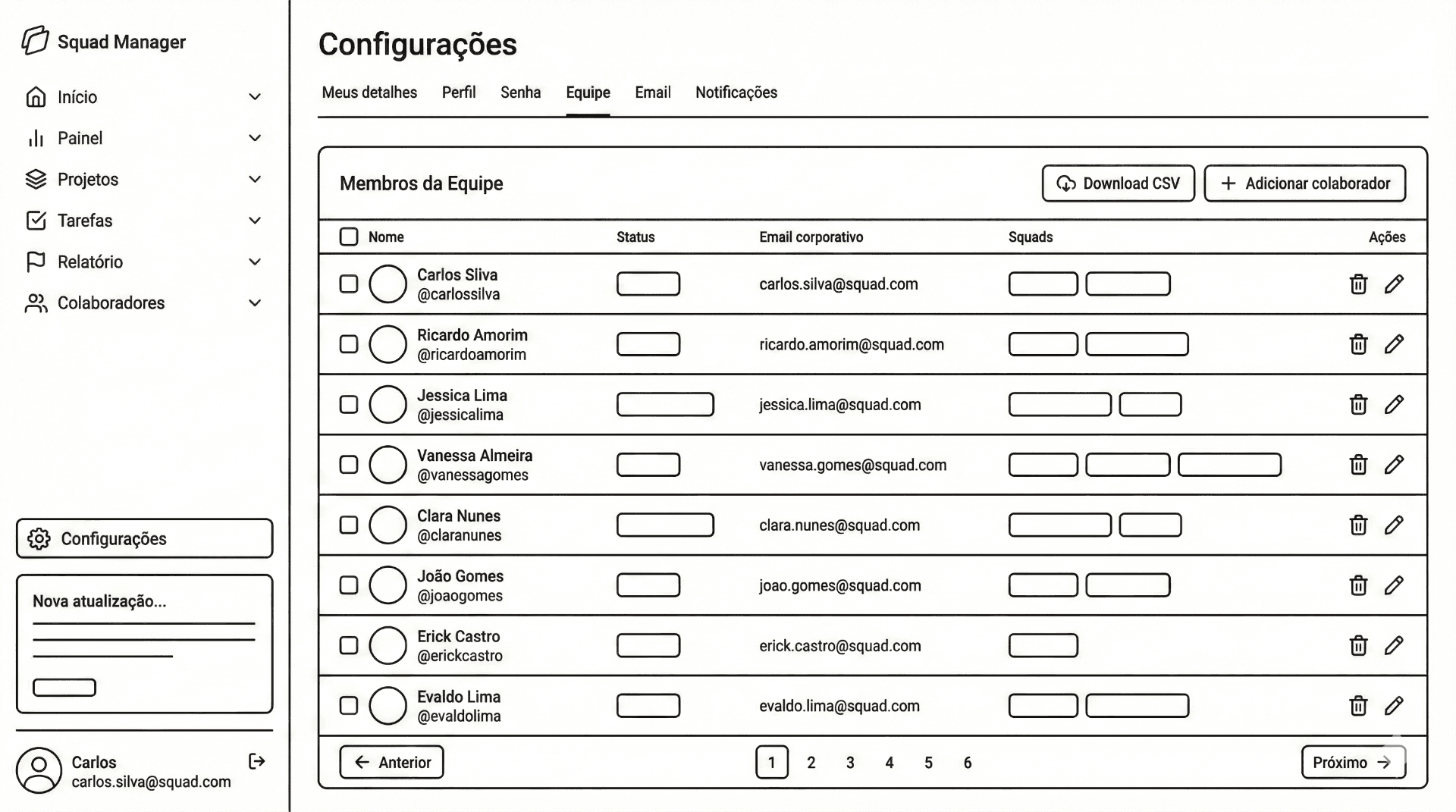
Developing the designs
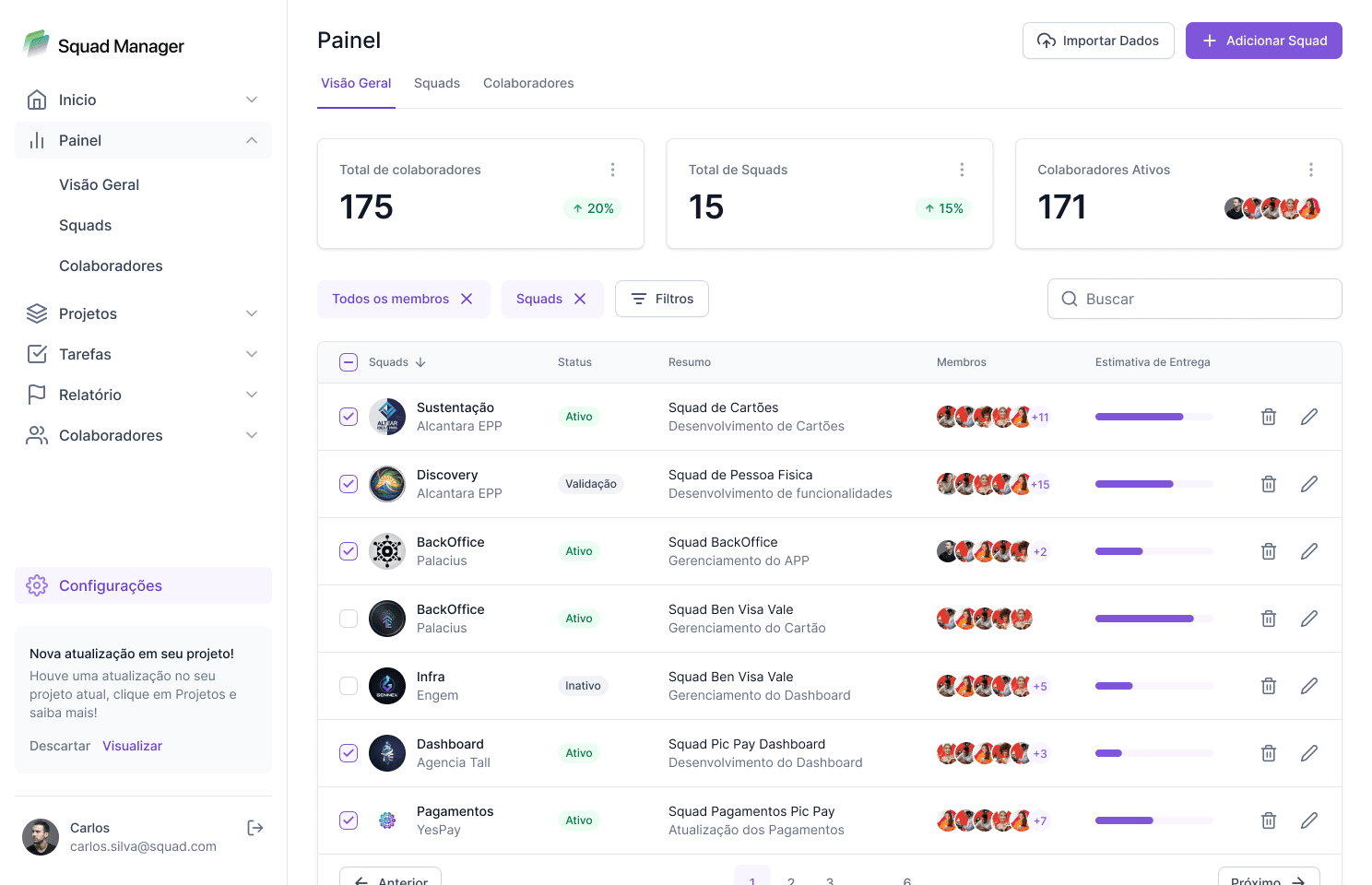
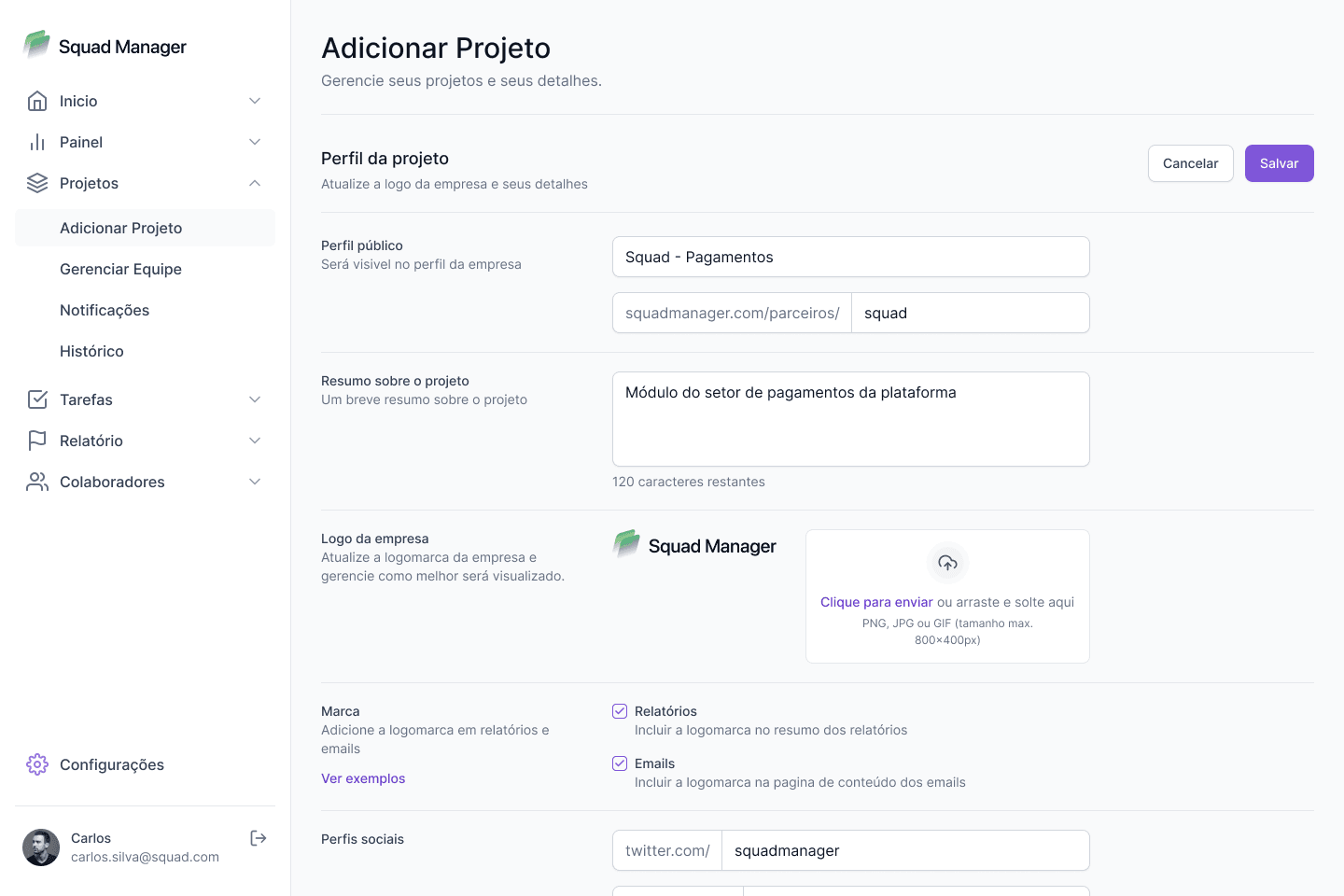
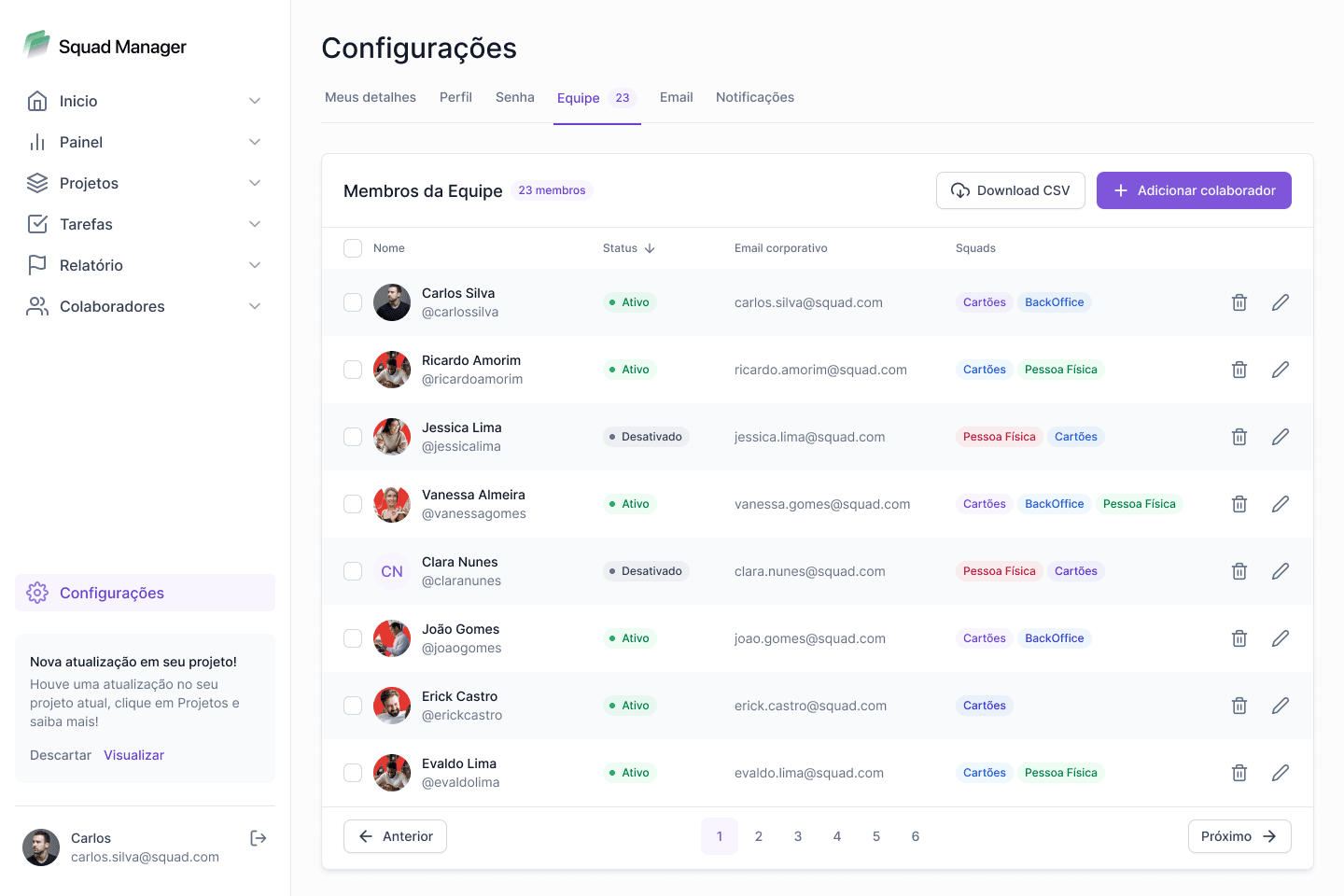
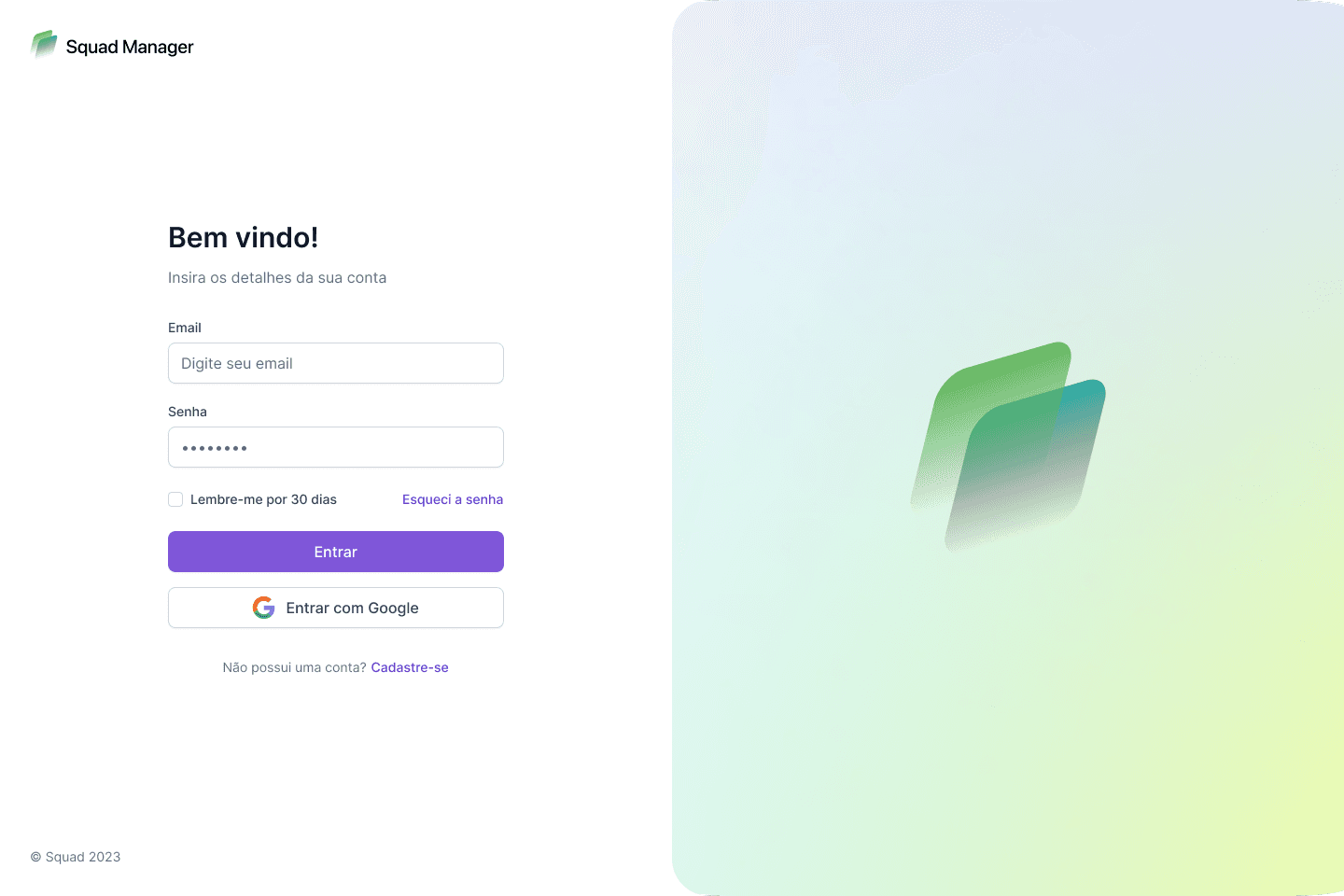
After successful usability runs on the wireframes, I applied the new Design System tokens to bring the mockups to high-fidelity, addressing accessibility ratios and dark mode edge cases.
Results and takeaways
Strategic planning for MVP
Creating a strong matrix for prioritization helped deal with out-of-scope requests that could potentially derail the project.
Testing doesn't end after handoff
Design is a constant iteration. We set up post-launch surveys to actively listen to how the configuration wizard performed in live environments.
Involve engineering upfront
Understanding technical limitations upfront—especially regarding React DOM re-rendering limits on massive Kanban boards—helped inform our pagination strategy.